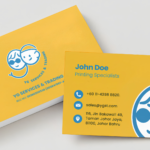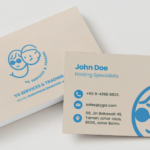
Important Customer Information about ordering Business Cards
- Artwork Format: Please upload your artwork as a vector PDF in CMYK colour mode. Review our artwork guidelines for the best print results.
- Team Orders: If you are ordering cards for multiple people, please follow these specific guidelines.
- Lamination Warning: To prevent your cards from curling, we strongly advise against single-sided lamination.
- Lamination Warning: To prevent your cards from curling, we strongly advise against single-sided lamination.
- Cardholder Delivery: Hard plastic cardholders are not eligible for same-day delivery and will be ready by the next working day.
Business Card Printing (Digital Printing)
Need business cards fast? Our express digital name card printing service delivers same day for orders placed before 12:00 PM, or the next working day as standard. Ideal for last-minute meetings, networking events, conferences, and new hires who need professional name cards without the wait.
Printed using high-quality digital printing on a range of card stocks — from classic art card to textured linen and kraft finishes.
Turnaround Time
- Next working day — standard express
- 1–2 working days — upon artwork confirmation
- Orders placed after 1 pm are processed as next-day orders
Card Size
- 90 mm × 54 mm (standard size in Malaysia)
Card Stock Options
Classic:
- 250 GSM Art Card, both sides glossy — coated stock with a slight glossy sheen. A popular all-rounder for full-colour business cards.
- 260 GSM Art Card, both-sided, Matt Laminated — matte protective lamination for a smooth, fingerprint-resistant finish. Gives a professional, understated look.
- 260 GSM Kraft Card (light/dark) — Uncoated, natural kraft card. Offers an authentic tactile experience with a minimalist, professional, and understated look.
Finishing Options
- Card Matte Lamination – smooth, elegant finish
- Gloss Lamination – vibrant, shiny finish
- Kraft – offers natural tactile paper touch
- No Spot UV available for this product
Print Method
Digital printing (CMYK). Digital printing is ideal for express turnaround and smaller quantities, delivering sharp text, vibrant colours, and consistent results without the setup time required for offset printing. Perfect when you need quality cards in a hurry.
Quantity
Available from 200 to 600 cards.
Artwork Requirements
- File Format: PDF, AI, PSD, JPG, PNG
- Colour Mode: CMYK
- Resolution: Minimum 300 DPI
- Bleed: 3 mm on all sides
- For AI files: all text must be outlined and images embedded
- MS Office documents and scanned PDFs are not accepted
Design Services
Need a design? Our in-house designer can create or replicate your business card layout for RM50 per design, with unlimited data entry and up to 3 revisions included. Please provide your own logo, as logo design is not included. If you have an existing working file, we can also make text edits directly.
Delivery & Collection
- 116, Jln Bakawali 48, Taman Johor Jaya, 81100, Johor Bahru
- Free Delivery in West Malaysia
- 3–5 working days (after approval & payment)
- Express Delivery West Malaysia (incl. Johor Bahru*)
- 1–2 working days (after approval & payment)
- Note for Johor Bahru: For 1-day delivery, please place your order by 12:00 PM. Once your order and artwork are confirmed, we will dispatch your items via Grab/Lalamove/seller fleet before peak traffic hours.
Please follow our artwork preparation guidelines to ensure that your artwork file is set up correctly.
1. Add 3 mm of bleed
Minor shifting can occur during the cutting process. To prevent unwanted white borders on your final product, please add a 3 mm bleed to all edges of your artwork. Ensure that your background colours, images, and design elements extend fully to the edge of this bleed area.
Learn how to set up your bleed here.
2. Keep your content within a 3 mm safety margin
To ensure important details like text and logos aren’t cut off during production, keep all essential elements at least 3 mm away from the final edge of your design.
Learn how to set up your 3 mm safety margin here.
3. Use CMYK colour mode
To ensure accurate colours on your final product, always prepare your files in CMYK colour mode (except for silkscreen or pad printing). Incorrect colour modes will result in unexpected colour shifts.
Learn how to convert to CMYK in Illustrator.
4. Use an image resolution of at least 300 DPI
To ensure your printed designs are crisp and sharp, please use images and graphics with a minimum resolution of 300 DPI at actual size. Don’t forget to embed all images into your file before submitting.
Learn how to check your image resolution.
5. Use the right values for grey elements
To create pure grey elements without any unwanted colour tints, set your Black (K) value anywhere between 0% and 100%, and ensure your Cyan (C), Magenta (M), and Yellow (Y) values are all set strictly to 0%.
Learn how to adjust the grey elements.
6. Use the right values for black elements
For crisp black text, thin lines, and small details, always use pure black (C=0, M=0, Y=0, K=100). To prevent unwanted white gaps and guarantee solid, sharp edges, be sure to set these pure black elements to overprint.
Learn how to adjust black elements.
7. Use a maximum of 2 colours for lines that are finer than 2 pt
To prevent fuzziness or misalignment on delicate details, please use a maximum of 1 or 2 colours for any lines that are 2 pt thick or less. Full 4-colour mixes (CMYK) should only be used for thicker lines and larger design elements.
Learn how to use only 1 or 2 colours.
8. Convert all fonts to outlines, or embed them in your file
To ensure your typography prints exactly as you designed it—without missing fonts or formatting errors—please convert all text to outlines (or curves) before saving. If you cannot outline your text, ensure all fonts are fully embedded in your final PDF.
Learn how to convert all text to outlines.
9. Save and upload your artwork files as PDF/X-1a
For the highest print reliability and quality, please export your final artwork as a PDF/X-1a file. This commercial prepress standard automatically flattens transparencies and locks in your CMYK colour settings for accurate reproduction across all our printing presses.
Learn how to export your final artwork as PDF/X-1a file.
10. Die-cut layer & Overprint
If your order includes custom shapes, rounded corners, or special cuts, please include a dedicated, clearly labelled die-cut layer in your file. Use a contrasting spot colour (such as 100% Magenta) set as a stroke to indicate the exact cutting line.
Double-check your overprint settings before exporting your file:
For questions about our products or the ordering process, please check out this FAQ first.
Still need help? You can reach our friendly customer support team at +60 11-4398 8820.
1. What is the fastest delivery for?
Our fastest option is 1-Day Express Delivery for customers in Johor Bahru. To qualify, please place your order and confirm your artwork before 12:00 PM. Please ensure your WhatsApp or email is active so we can quickly send your artwork proof.
Note: Late payments or delayed artwork approvals will push your delivery to the next business day.
2. Which production techniques are used?
We use a hybrid printing model to ensure you get the best combination of speed and quality. For express and short-run orders, we print in-house using our state-of-the-art Fuji Xerox digital printers. For larger bulk orders, we utilise premium commercial offset printing to provide the highest quality and best cost-efficiency.
3. How will my product be delivered?
For 1-Day Express orders within Johor Bahru, your items will be swiftly dispatched via Lalamove/Garb Express/our fleet directly to your door (scheduled before peak traffic hours). For standard orders and deliveries outside of JB, we ship your products securely using trusted national courier services.
4. I can’t find what I’m looking for. Can I request a quote?
Absolutely! If you need custom sizes, unique materials, specialised finishes, or bulk quantities not listed on our site, please reach out to us. You can contact our friendly customer support team via WhatsApp or call us at +60 11-4398 8820, and we will happily prepare a custom quote tailored to your exact needs.
5. Which papers can I choose?
For our customers, we offer standard art cards in 250g and 260g for both Art Card and Light Kraft Card.
6. Which refinements can I choose?
We don’t offer additional refinements for our business card product because it’s already pre-laminated (per your product choices).
7. How can I upload my files?
Please provide a public download link from Dropbox or Google Drive instead of a direct file upload. This link lets you easily add supporting documents, such as name lists, or update your files on the fly.
8. Which formats can I upload?
To guarantee the highest print quality without delays, we strongly recommend uploading your artwork as a PDF/X-1a file. All files must be in CMYK colour mode, feature high-resolution images (300 DPI), and have all fonts converted to outlines. Please ensure your file also includes a 3 mm bleed.
Our free templates provide all the information you need to properly prepare your artwork files for printing. Simply download the template that matches your desired product configuration.